
Task Lighting for a Home Office: Checklist for Reducing Eye Strain
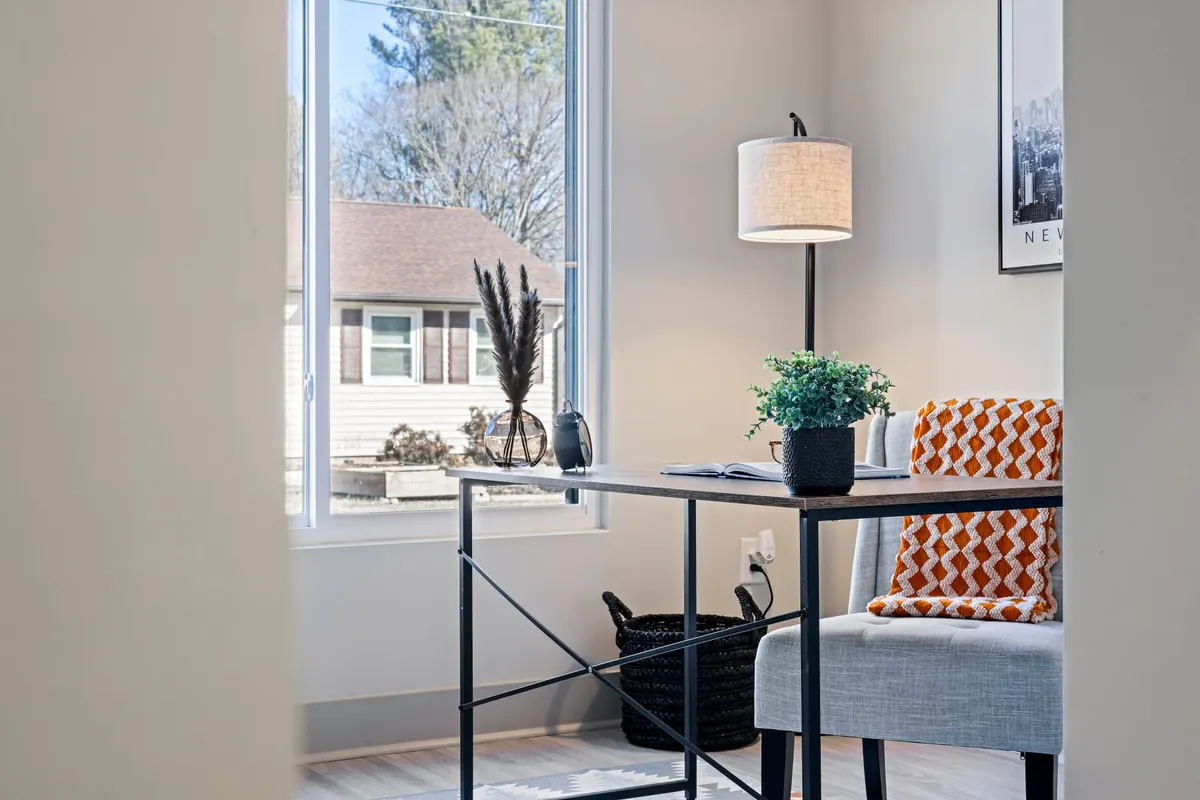
The lamp was probably the last thing you thought about when you set the desk up. Now it is the thing you notice at four in the afternoon, when the screen has started to feel like a torch held too close and your eyes have gone flat and tired in a way that a coffee does not fix.
Task lighting is not complicated, but it is specific. A cheap lamp in the right place beats an expensive one in the wrong place almost every time, and most home offices get three or four small details wrong at once: the lamp sits on the same side as the writing hand, the shade is too shallow, the bulb is visible from the chair, and the rest of the room is dark. Fix those and the desk stops fighting you. What follows is the checklist worth working through, ideally before you buy anything new.
Start with the desk, not the lamp
Your biggest light source is already in the room, and it is the window. Before you move a lamp a single centimetre, check how the desk sits relative to the glass. Ideally the window is to your side, so daylight falls across the work rather than into your eyes.
Facing the window looks pleasant in photographs and is miserable to work at: the bright view makes the screen look dim, and you end up squinting all morning. Sitting with your back to the window is the other common mistake, because the screen becomes a mirror showing you the garden and every reflection of your own face.
If the desk cannot move, work with blinds and let the lamp carry more of the load. A half-closed blind and a properly aimed desk lamp will beat an open curtain and a badly placed one.
Put the lamp on the far side of your working hand
This is the rule that solves most shadow problems in one move. If you write or use a mouse with your right hand, the lamp belongs on your left. Left-handed? Move it to the right. Light then falls across the page and the keyboard from the opposite side, and your hand stops casting a shadow over exactly the spot you are trying to read.
Height matters as much as side. With you seated normally, the bottom edge of the shade should sit at roughly eye level or just below it, with the head angled down and across the desk. A lamp clamped or placed so that the head sits about an arm's length away and slightly higher than the work surface gives you a pool of clear light without putting the bulb in your line of sight.
Point the light at the paper, the keyboard, the notebook. Not at your face, and not at the screen. A lamp aimed at a monitor does nothing except create a bright rectangle of reflected glare.
Two tests that take ten seconds
- The hand test. Hold your writing hand over the page as you normally would. If a shadow lands on the words, the lamp is on the wrong side or too far behind you.
- The dark screen test. Open a page that is mostly dark, switch the lamp on, and look at the monitor from where you sit. If you can see the shape of the bulb or the LED panel in the glass, reposition the lamp or tilt the screen back slightly.
Get the brightness right, then give yourself a dial
You want the desk surface clearly brighter than the room around it, but not so bright that the screen goes grey by comparison. The practical test is simple: you should be able to read a printed page at the desk without leaning in, and the monitor should still look clean and white rather than dull.
Dimming is more useful than maximum output. Most of us need more light at eleven in the morning than at ten at night, and a lamp that only switches on and off forces you to choose between too much and too little. If you are buying new, put dimming near the top of the list, above fancy joints and app controls.
Colour temperature is worth a thought too. Many desk lamps sit somewhere in the neutral range around 3000 to 4000 K, which reads as white without being clinical. Warmer light is easier on the eyes in the evening; very cool, blue-white light at midnight tends to feel harsh and can make the room resemble an operating theatre. If your lamp has a switchable colour temperature, use the warmer setting after dark.
Control glare, which you feel before you see
Glare is rarely described as glare by the person suffering from it. It shows up as vague irritation, a headache by mid-afternoon, a habit of shading your eyes with one hand, or the sense that the desk is somehow unpleasant without being able to say why.
Look for these sources and deal with them one at a time:
- A visible bulb or LED array. The most common culprit. A deep shade, a hood, or simply rotating the head a few degrees usually fixes it. Bare LED panels at eye level are particularly unforgiving.
- A glossy desk surface. Dark, shiny desks throw a bright reflection straight back at you. A large matte desk pad is one of the cheapest improvements you can make.
- Shiny paper and printed documents. Angle them slightly, or move them out of the strongest part of the light pool.
- The screen itself. Tilt it back a couple of degrees, keep it roughly at arm's length, and make sure no lamp head sits directly in front of it or directly behind your shoulder.
If you wear glasses, notice whether the frames or lenses catch the light from the lamp. Sometimes a small shift of the head, or a slightly larger one of the lamp, removes a distracting bright line from the edge of your vision.
Add the background light almost everyone skips
A single bright lamp in an otherwise dark room creates contrast, and contrast is what makes eyes tired. Your pupils are constantly adjusting between a luminous desk and a black wall behind the monitor, and that adjustment is tiring in a low-level, cumulative way.
So light the room as well as the desk. A floor lamp in the corner, a small uplight behind the monitor, a wall light, or simply the ceiling fixture on a dim setting will do the job. At night, aim for two sources rather than one: the task lamp plus something softer filling in the background. Never work on a bright screen in a fully dark room if you can avoid it.
The desk lighting checklist
- Window to the side of the desk, not directly in front of or behind you.
- Lamp on the opposite side to your writing hand.
- Shade bottom at about eye level when seated, head angled down towards the work.
- Light aimed at paper and keyboard, never at the screen or your face.
- No visible bulb or LED panel from your seated position.
- Desk surface clearly brighter than the room, but not a spotlight in a cave.
- Dimming available, and actually used as the day goes on.
- Warmer light in the evening, neutral in the morning.
- Matte surface under your work, or a desk pad if the desk is glossy.
- At least one other light source in the room to soften the contrast.
Ten minutes, once
Set aside a short session with the desk as it actually is, not as you wish it were. Sit down, turn everything on, and work the checklist from the top. Move the lamp one notch, look away, look back, and see whether the desk feels calmer. Most home offices only need two changes: the lamp moves to the other side, and something else in the room gets switched on.
After that, revisit it seasonally. The light through the window changes dramatically between January and June, and a position that worked in winter can leave you squinting in summer. A minute of adjustment twice a year is all it takes.
One sensible note: if eye strain, headaches or blurred vision persist after you have sorted the lighting, that is a conversation for an optometrist or your doctor rather than a shopping trip for a new lamp. Lighting removes a common irritant; it does not replace an eye test.
Photo: Curtis Adams / Pexels